Industry
Startup / Hospitality Tech / Data Analytics / Workforce Management
Client
Dataspoon
Streamlining Restaurant Operations with Dataspoon


Overview
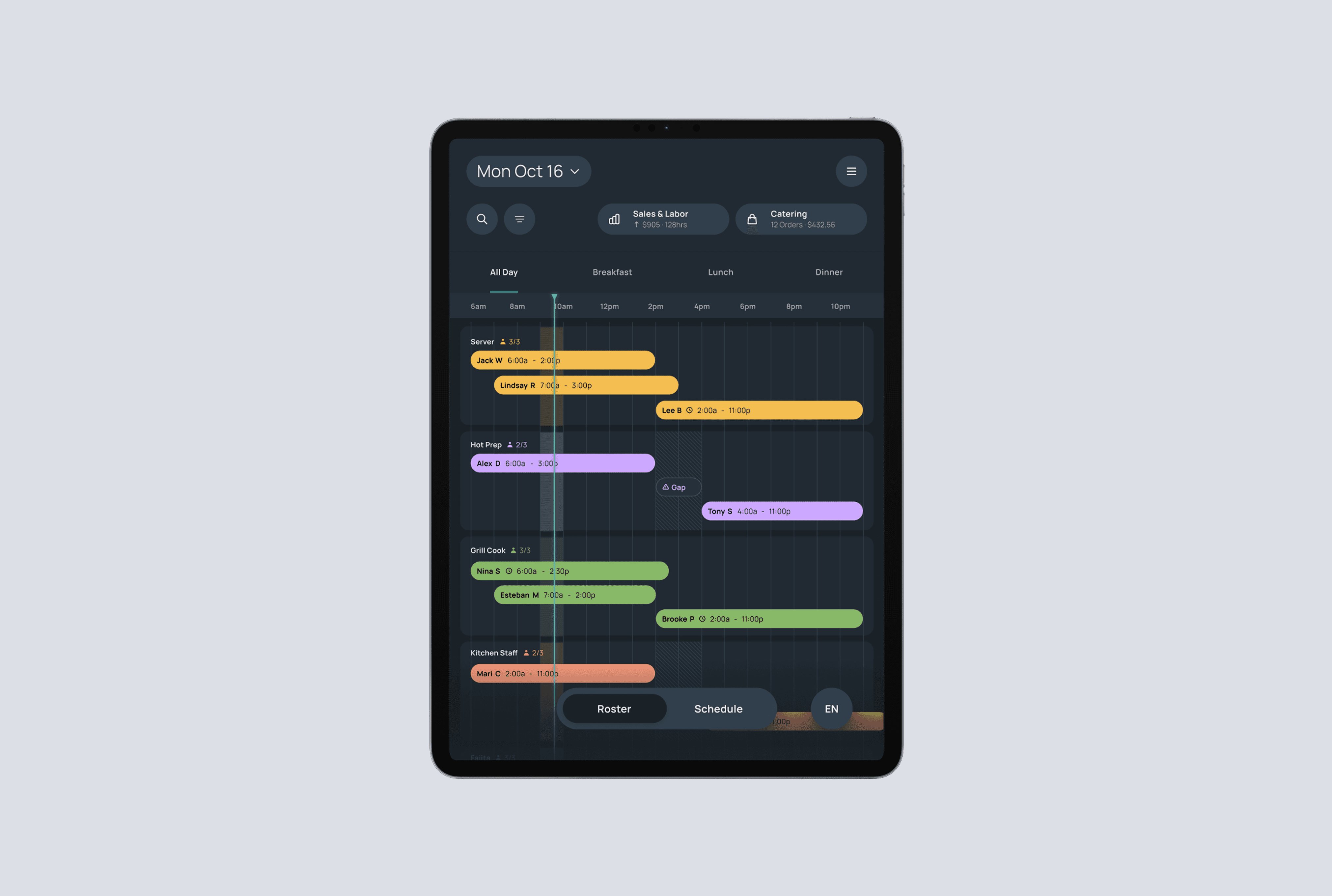
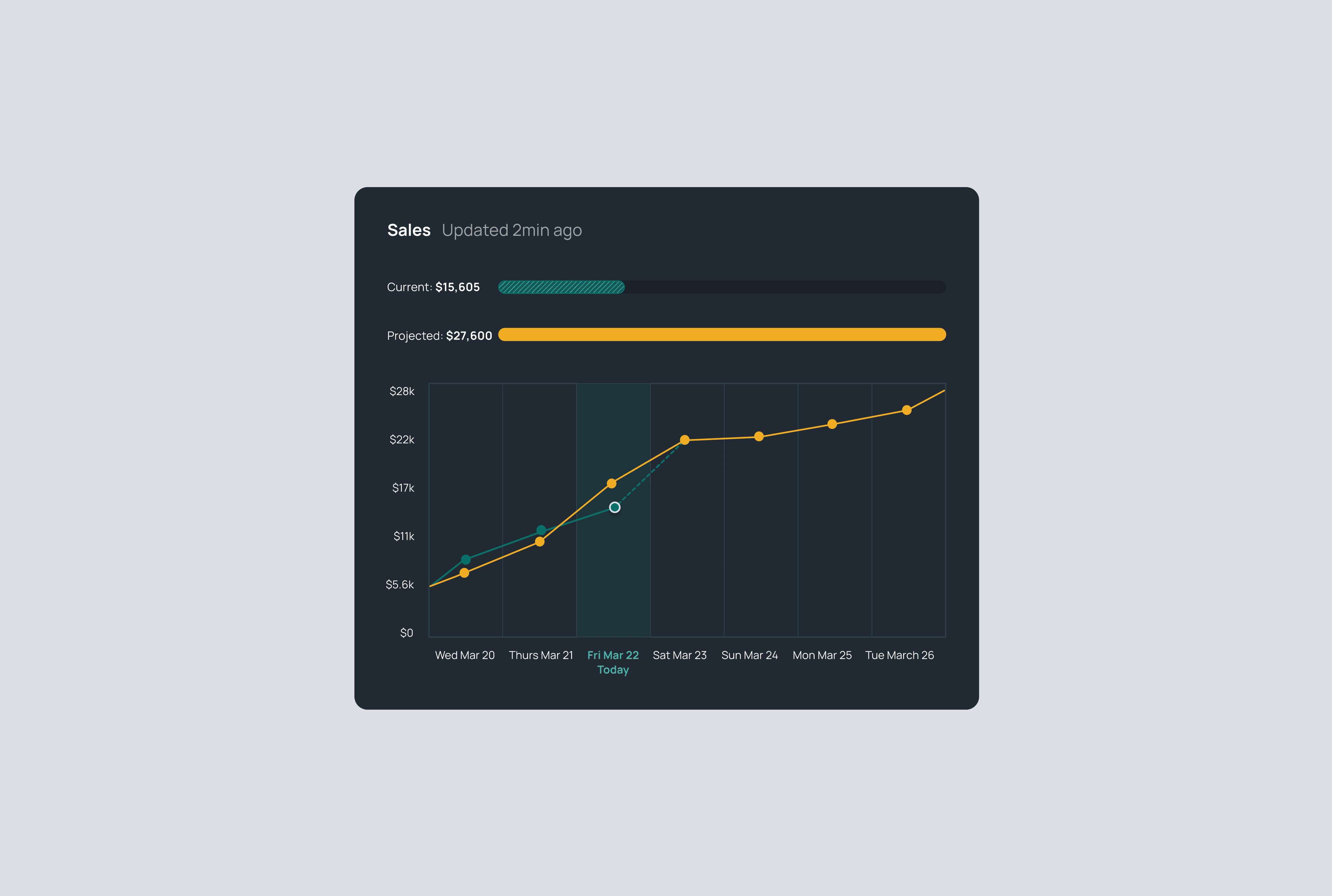
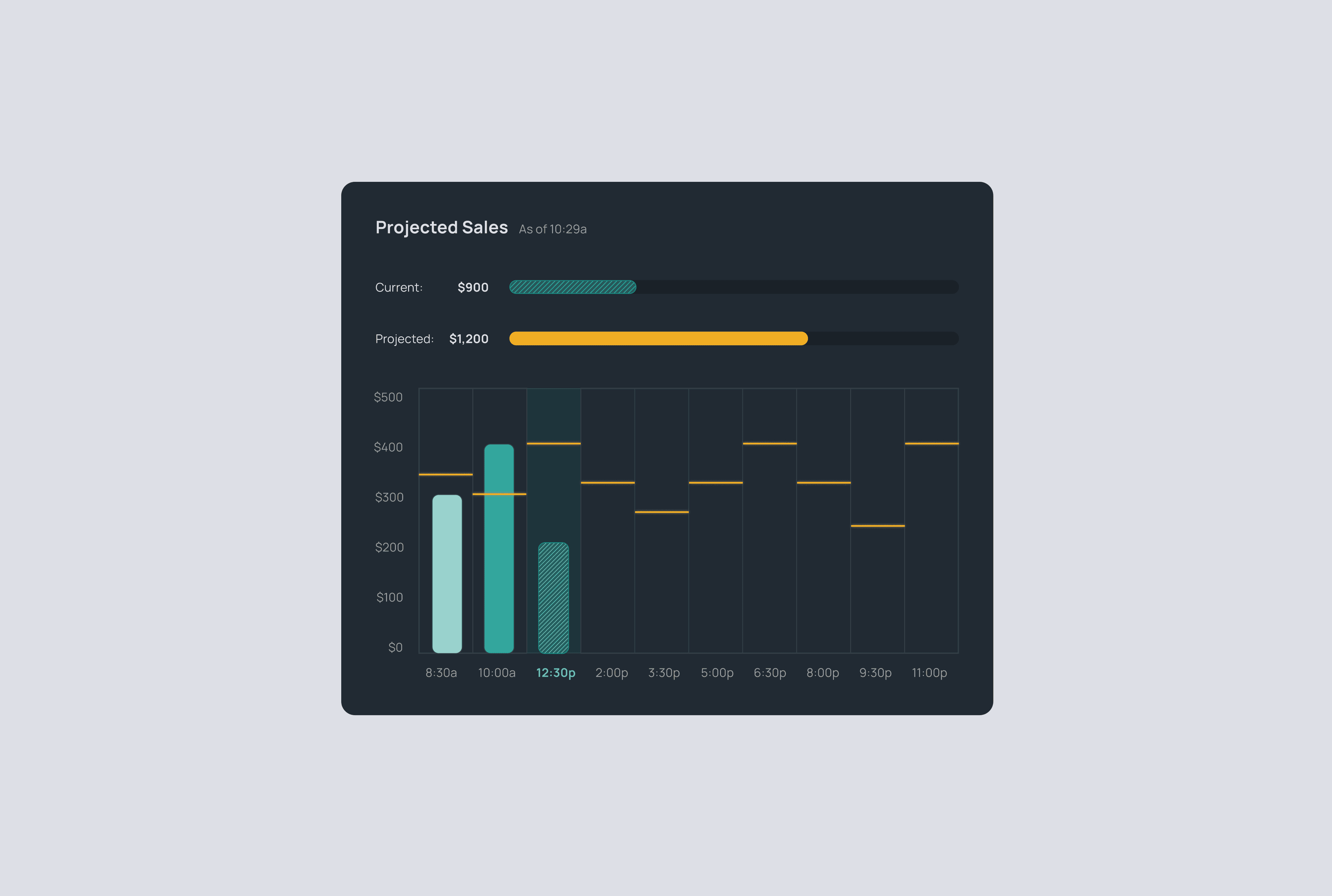
When I joined this project, DataSpoon was a restaurant management platform focused on operational metrics like product inventory and food quality. As the platform matured, I partnered closely with product and engineering to explore adjacent problems where we could add value without disrupting existing workflows. Through discovery, one opportunity became clear: employee scheduling. Medium-sized fast-casual chains were using a patchwork of tools, including spreadsheets, legacy software, and printed schedules, yet staff still struggled to know when and where they were expected to work. Instead of replacing these systems, I helped define a more strategic role for DataSpoon by integrating with managers’ existing scheduling tools and acting as a clear, reliable display layer for staff. This approach respected how managers already worked while significantly improving the experience for hourly employees.


Challenges
• Managers have established scheduling workflows and low tolerance for change • Staffing needs vary widely by role, location, and day • Staff members span a wide range of technical proficiency and language fluency • Schedules are checked in fast-paced kitchens with multiple competing screens • The system needed to support parent companies with multiple restaurant concepts while remaining extensible as a potential standalone product
How might we make schedules instantly understandable for hourly staff, without disrupting how managers already work?
Opportunities & Constraints
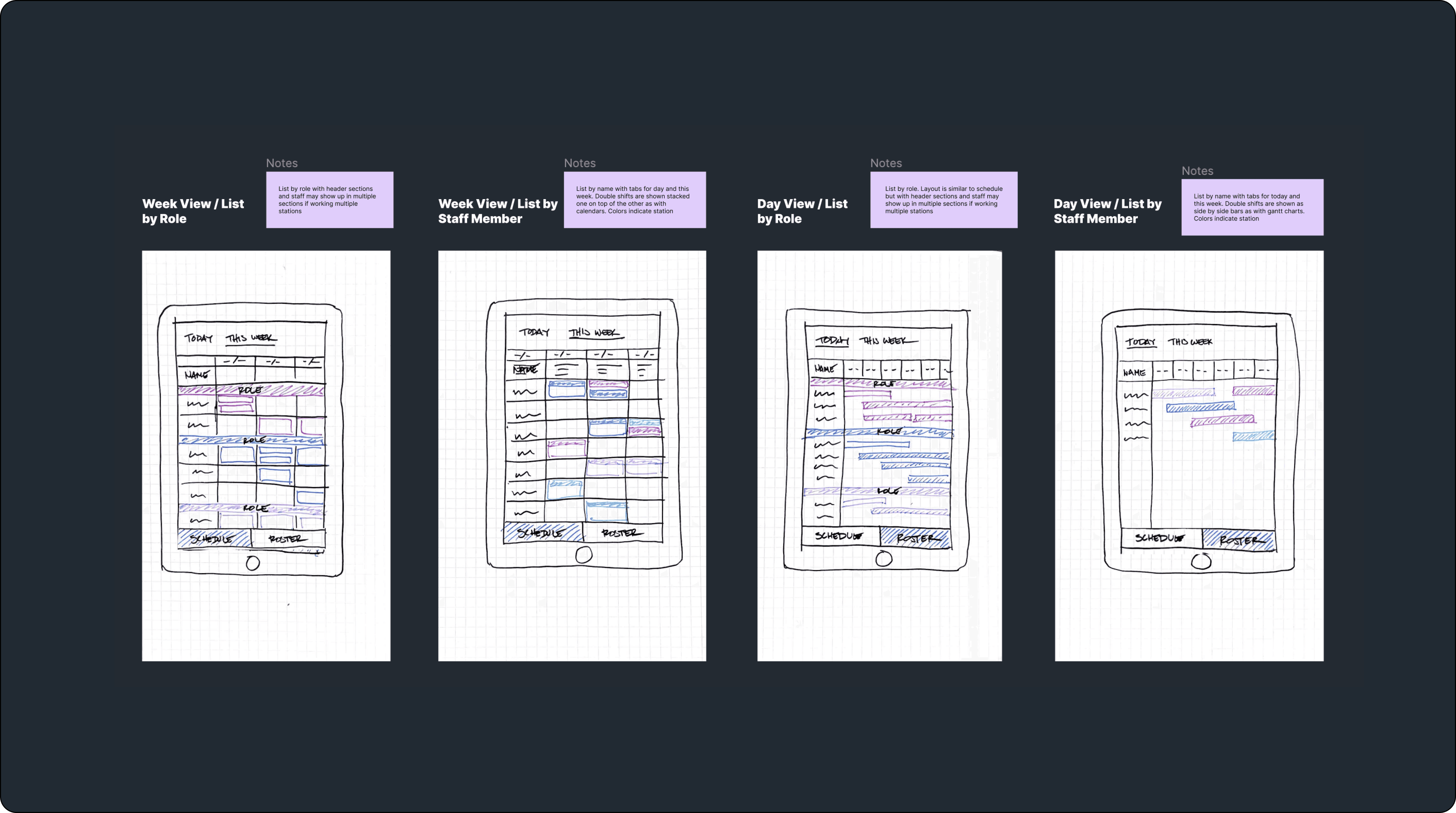
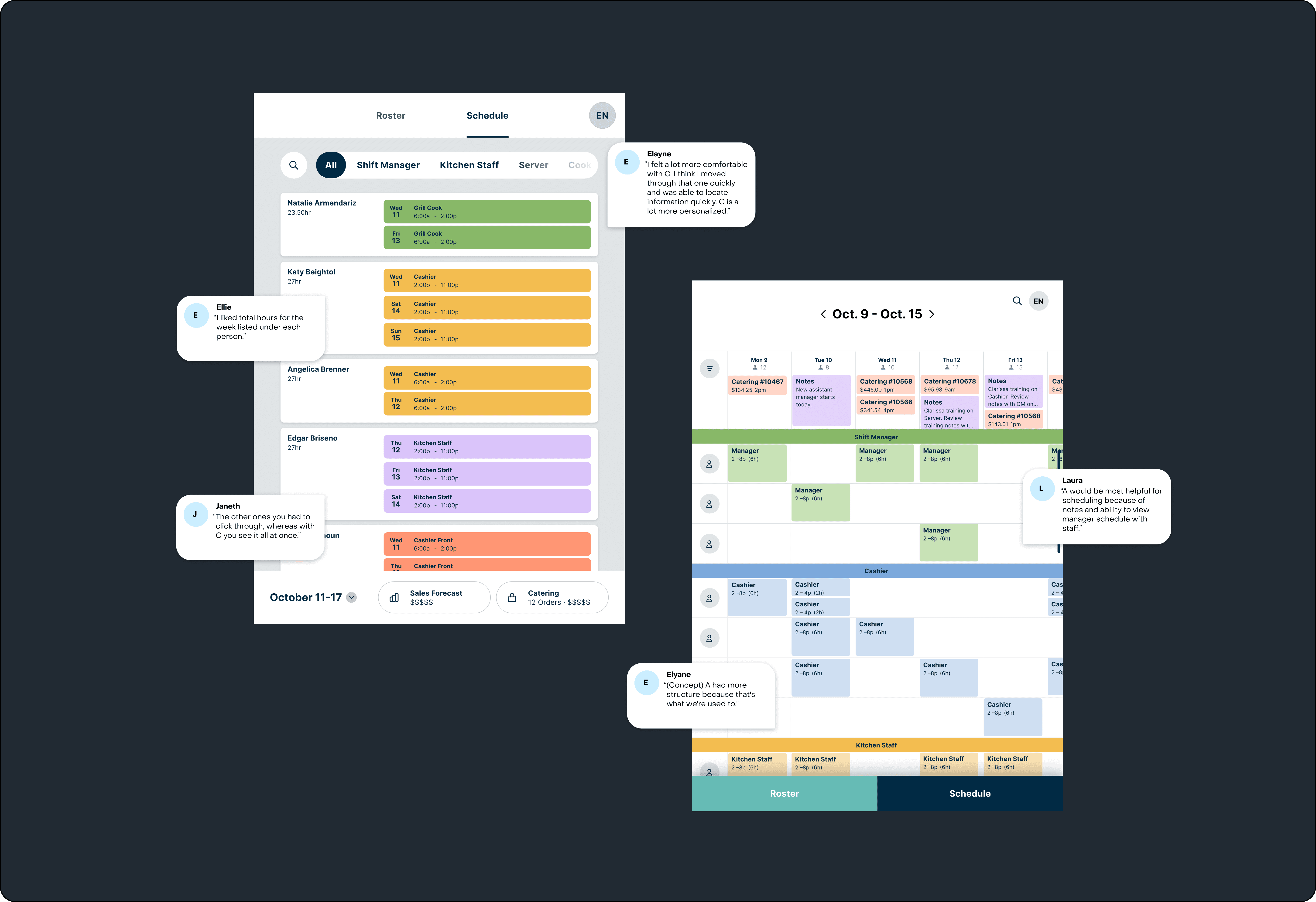
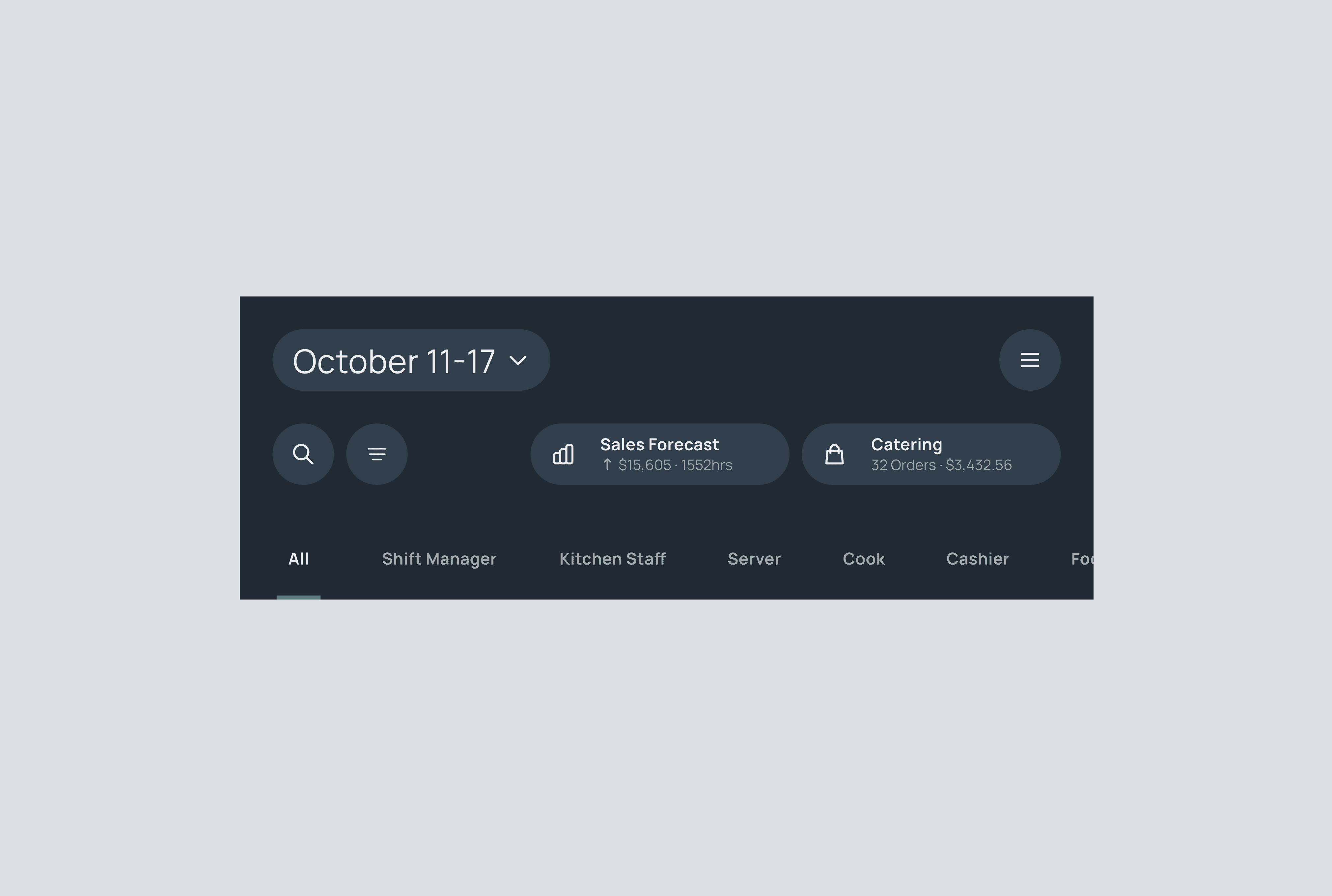
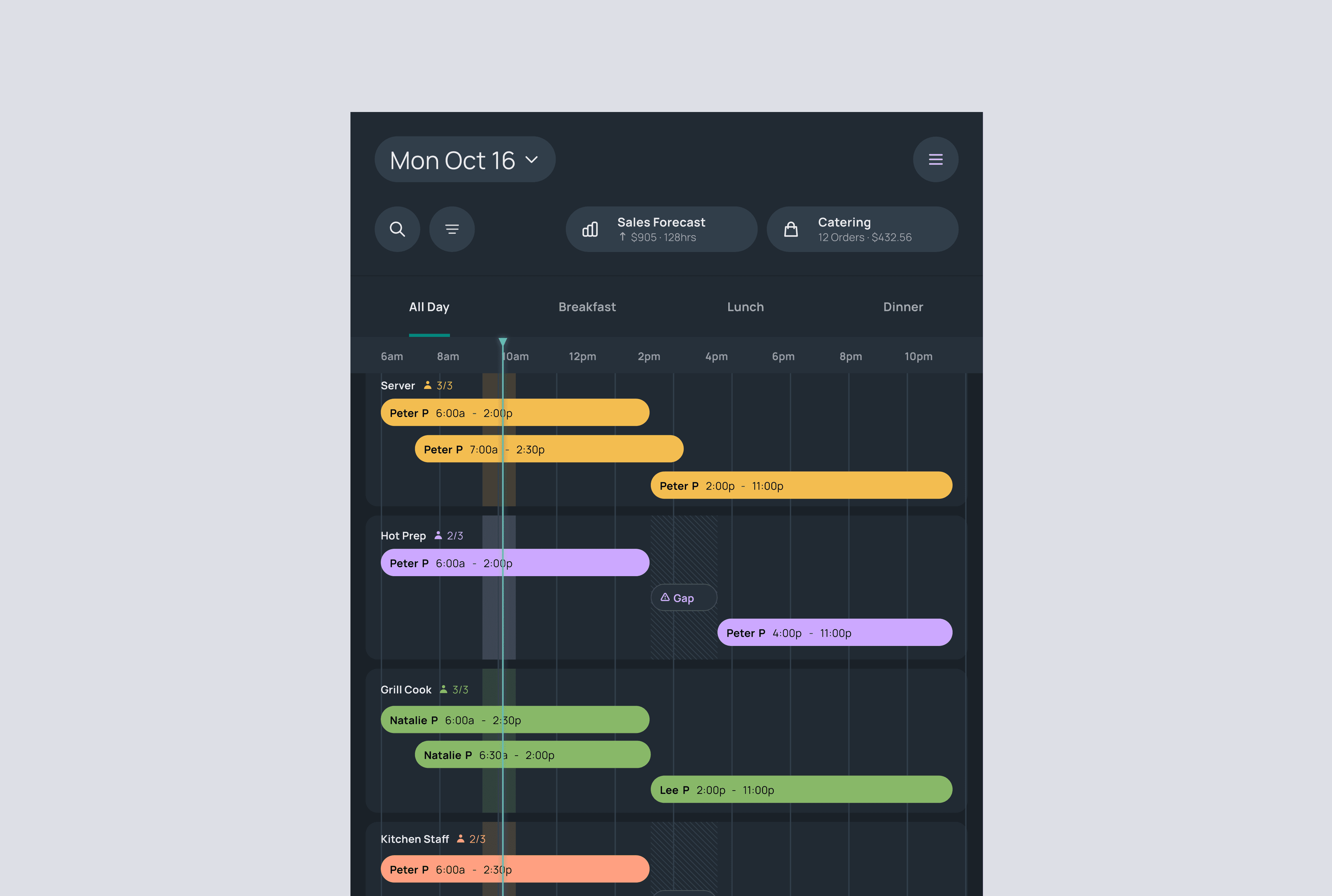
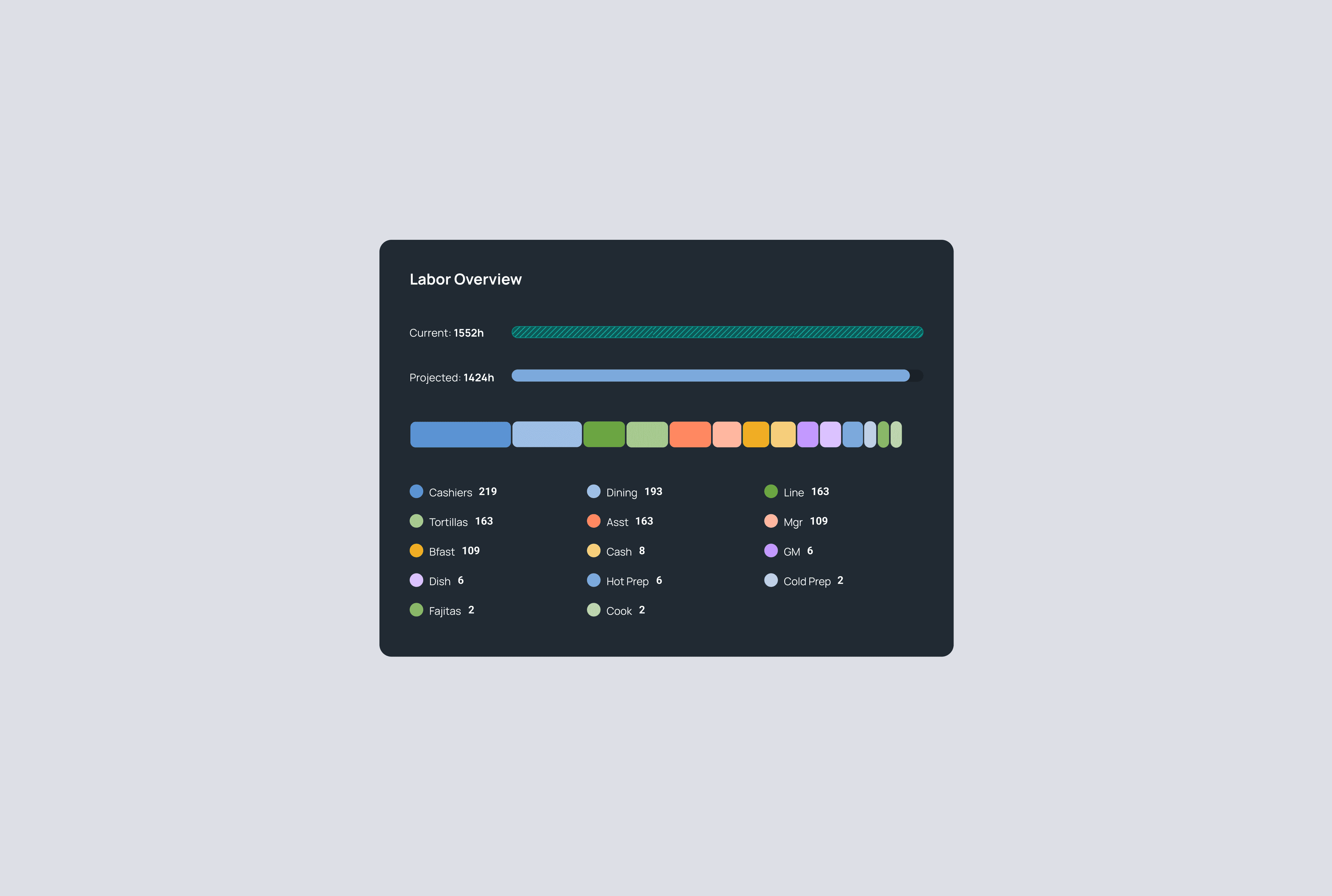
I started by deeply understanding what a "schedule” vs. a "roster" actually meant in practice. I broke the information down across multiple dimensions — weeks viewed by day, days viewed by hour, shifts grouped by role, and finally, individual staff members by name. Mapping the information this way helped me surface where complexity truly lived—and where it could be intentionally removed. This IA work became the foundation for decisions around layout, hierarchy, and interaction, especially critical for an experience designed to be read at a glance. I began with rough sketches to explore three distinct directions, intentionally pushing on different tradeoffs. To validate the concepts, we conducted 8 moderated usability tests, collecting both qualitative and quantitative data. I focused on evaluating comprehension speed, navigation effort, and overall confidence. Clear patterns emerged: • Managers and hourly staff had fundamentally different mental models. Managers wanted a comprehensive coverage overview, while hourly staff cared most about seeing their entire week clearly and reliably. • Interaction was a liability, not a benefit. Fewer clicks, less scrolling, and no hidden states consistently tested better. • Single-screen clarity drove confidence. Concepts that presented all essential information without scrolling or expanding were perceived as faster, clearer, and more trustworthy. Rather than treating these as isolated findings, I used them to intentionally remove friction—designing an experience that minimized effort and maximized immediate understanding.


Design Solutions
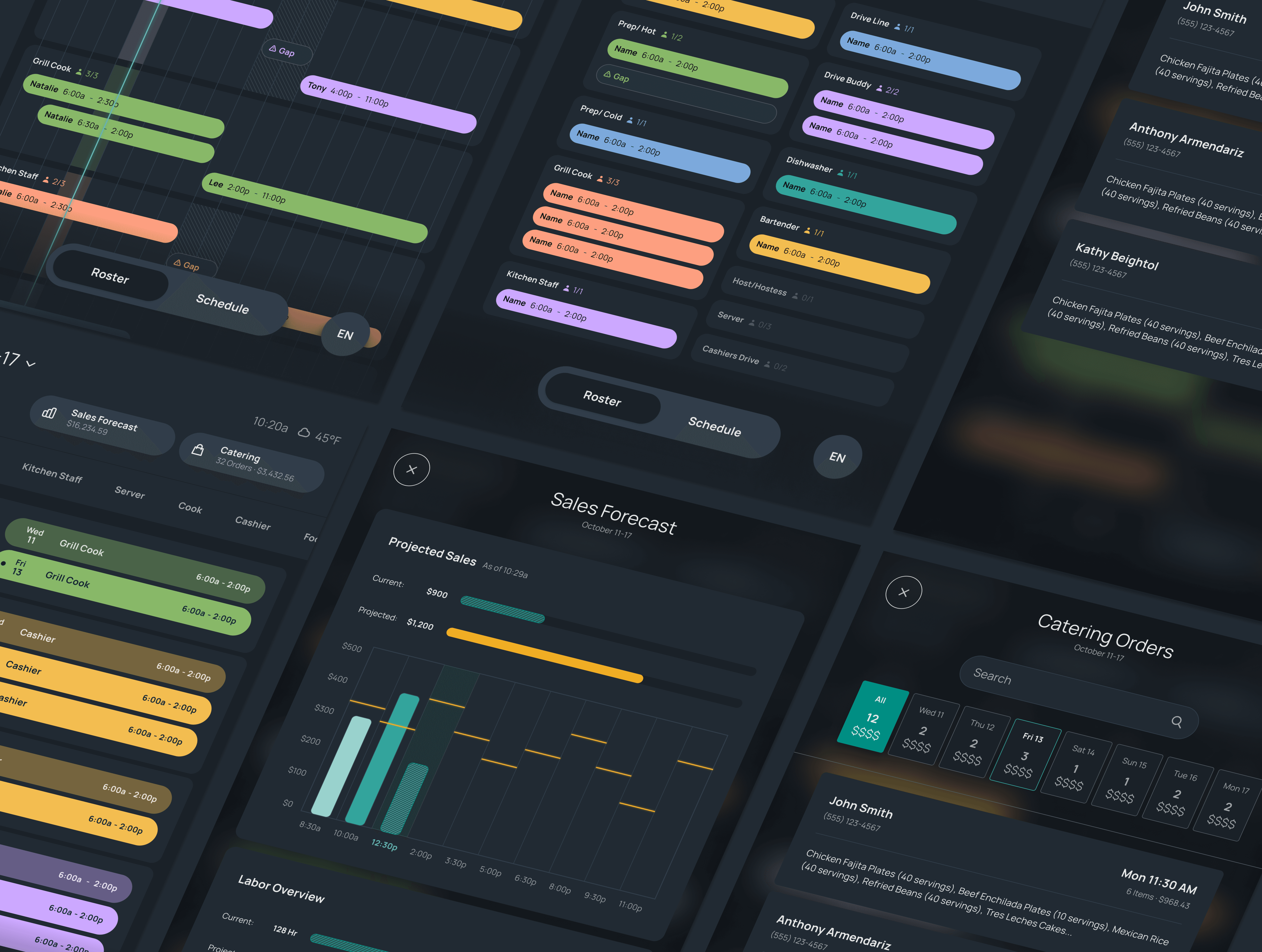
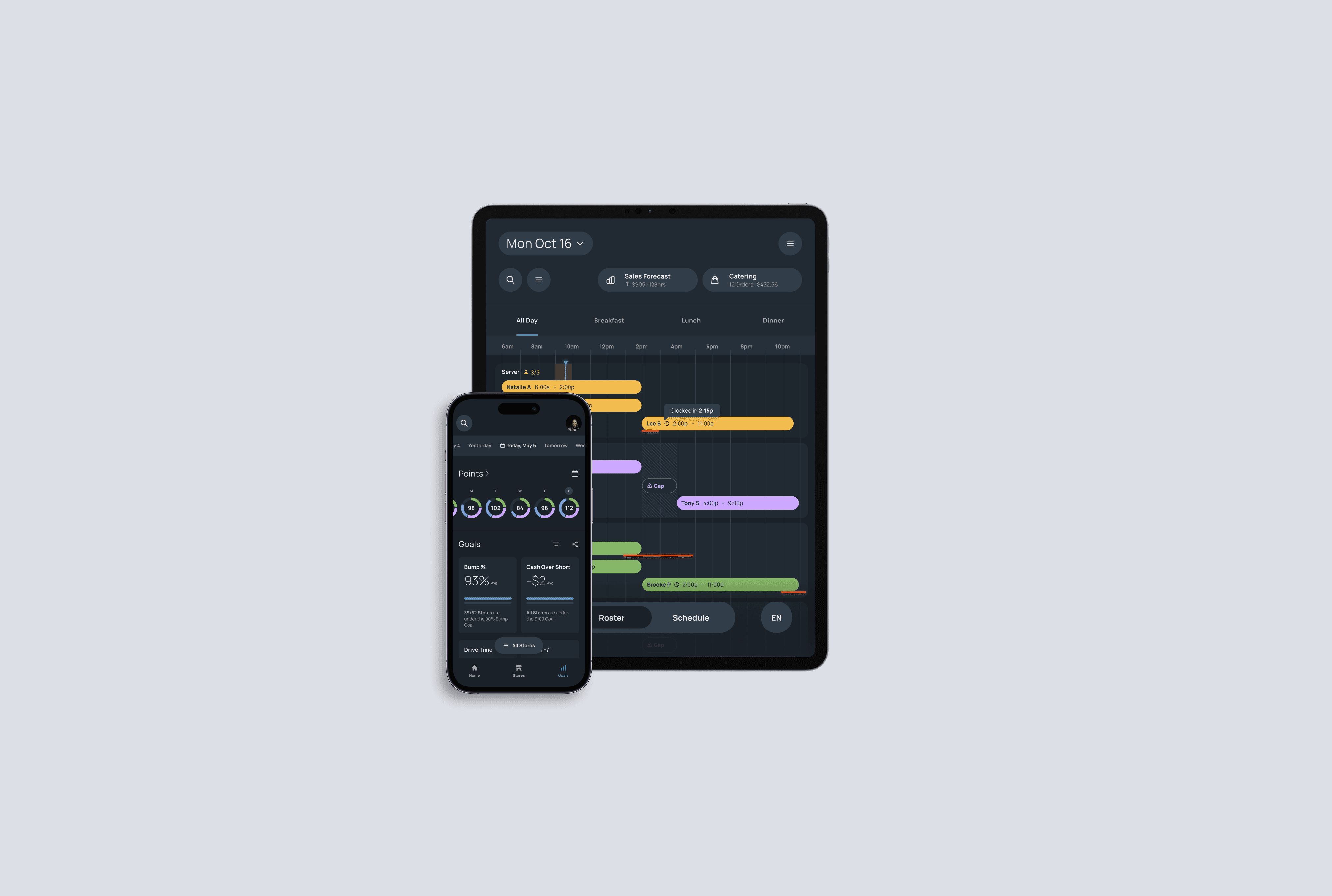
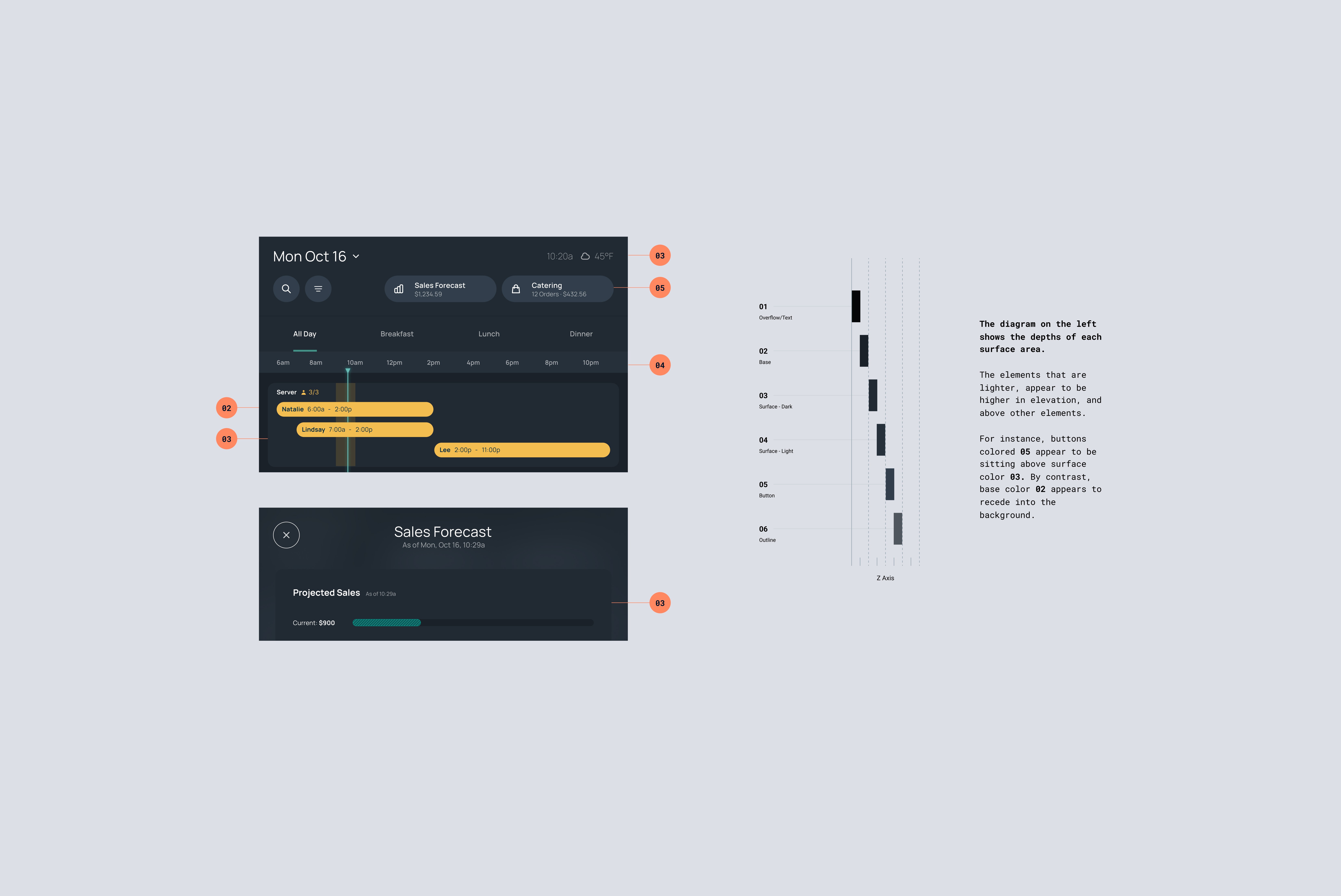
Based on research, I leaned into a design that clearly separated schedule creation from schedule consumption. Managers continued using their existing tools, while DataSpoon focused on delivering a high-quality viewing experience for staff. Every decision prioritized clarity over control and visibility over flexibility. From a UX perspective, I treated the schedule as a high-frequency, low-attention interaction. Layout and spacing were optimized for fast scanning from a distance, and subtle motion was used only where it reinforced hierarchy or change detection, never as visual noise. As the work moved into high fidelity, I paid close attention to edge cases such as overlapping shifts, multi-role employees, and last-minute updates. These details mattered because the product would often be checked mid-rush, under imperfect lighting, and with limited time. Accessibility was foundational not an afterthought, especially within a dark-themed interface designed for kitchen environments.
Outcome & Impact
This work enabled DataSpoon to support parent companies with multiple restaurant concepts through a flexible, scalable system, improve schedule comprehension for hourly staff without adding managerial overhead, and expand beyond operational monitoring into an employee-facing experience. More importantly, it established a clear design principle for the platform by removing friction, respecting existing workflows, and designing for the moment of use. For me, this project reinforced that strong product design is not about adding more features. It is about setting a high bar for clarity, craft, and consistency, and carrying that bar all the way through delivery.